SolusVM allows you to enable or disable VNC, PAE, APIC, and ACPI.
1. Log in to your SolusVM Control Panel.
2. If you have multiple VPSs, then select the appropriate one.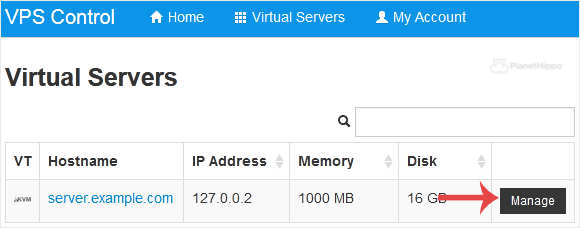
3. Scroll down. Under the Settings tab you can find APIC, ACPI, VNC or PAE. If you want to turn off VNC, select the Off option from the drop-down menu under the VNC option.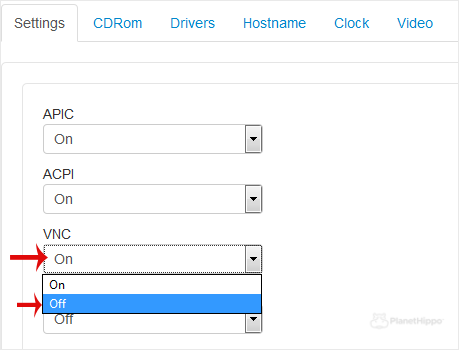
4. After making any changes, such as switching from On to Off or vice versa, reboot your VPS.
- Home
-
Store
- Browse All
- Hippo Web Hosting Linux (New)
- Hippo WordPress Hosting (New)
- Hippo SSL Certificates (New)
- Hippo VPS Hosting
- Virtual Servers Windows
- Hippo Reseller Hosting
- SSL Certificates
- cPanel Web Hosting Linux
- Business cPanel Hosting
- WordPress Hosting
- Hippo Website Design
- Site Builder
- Digital Marketing
- Site Builder
- Register a New Domain
- Transfer Domains to Us
- Announcements
- Knowledgebase
- Network Status
- Affiliates
- Contact Us
-
More